
Your clipboard, on every screen in the room.
Dropeye turns your Mac into a shared clipboard and pinboard for every device on the local network. Text, code and files — live, in any browser.
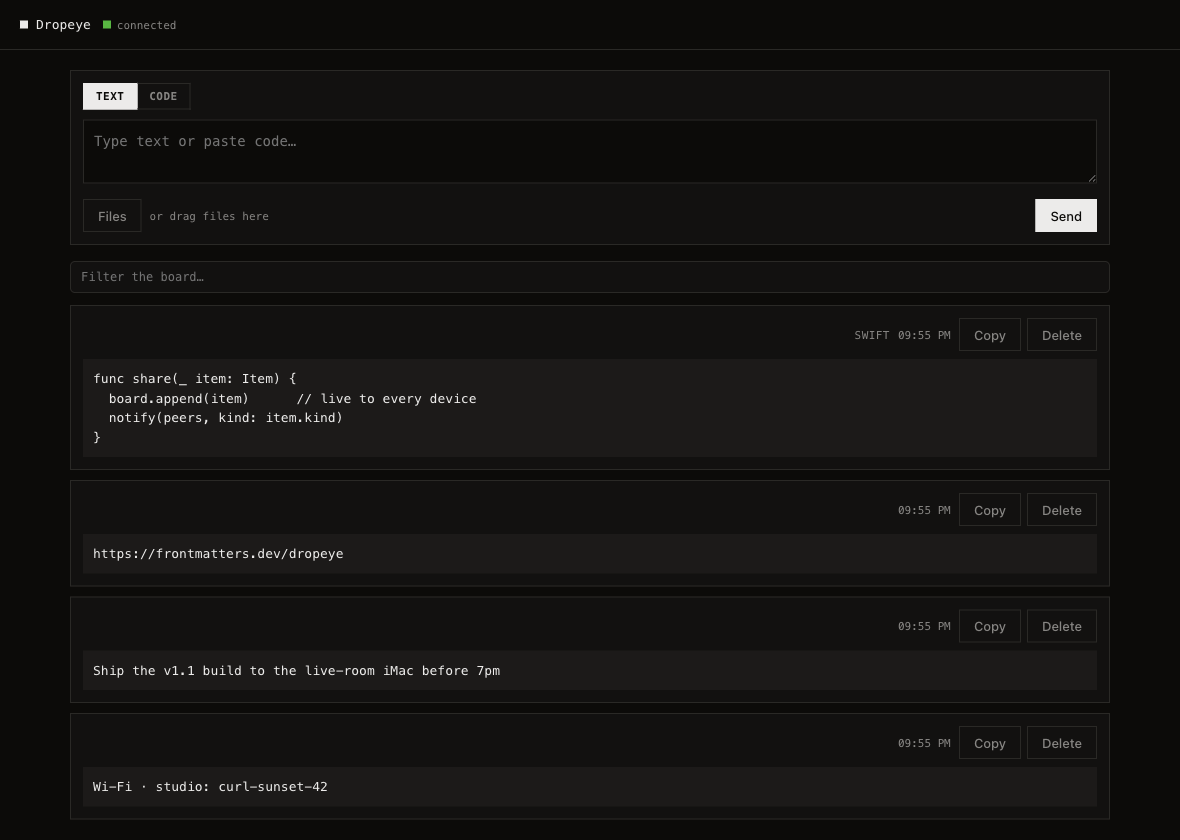
Live · every device sees a share the instant it lands
One shortcut, every screen
Press ⌘⇧V in any app and what you copied is on the board. Nothing is watched or captured: it moves when you say so, and never before.
Code-aware & live
Snippets are detected and set in monospace. Everything streams to every screen the instant it lands.
Encrypted at rest
AES-256-GCM under a per-Mac Keychain key. Named vaults you can export and import.
Scan to join
QR codes and Bonjour bring any phone, tablet or Mac onto the board with no typing.
No account. No cloud. Nothing leaves the room.
Questions
What do the other devices need?
A browser. There is nothing to install on them and no account to make. Scan the QR code from the menu bar, or open the address Dropeye shows you.
Does anything leave my network?
No. Your Mac serves the board to the devices in the room, and there is no server of ours anywhere in that path. The app is sandboxed and asks macOS only for the permission it needs to serve on your network. The single time Dropeye speaks to the internet is when you activate your license.
What is the fastest way to get something onto my phone?
Copy it and press ⌘⇧V in any app, without switching to Dropeye.
Whatever you copied is on the board before you have picked up the phone. Files go by
dragging them onto the window; drop a folder and it arrives as one archive.
What happens when the 14 days are up?
The board stops starting until you enter a license key. Nothing you made is taken away: your saved vaults, their exports and every setting stay reachable without a license.
Is this a subscription?
No. One payment, one Mac, and it moves with you: Settings has a "Deactivate this Mac" button so a new machine can take the license over. Updates are included.
Which Macs does it run on?
macOS 14 Sonoma or later, on Apple silicon and on Intel. The app is signed and notarized by Apple.
Is what I share encrypted?
Vaults are, with AES-256-GCM under a key that never leaves your Mac's Keychain. The board itself is served over your own network, and the passphrase gate is what decides who reaches it.
There is also an experimental Encrypt with HTTPS setting, off by default. It encrypts the traffic, but no public authority issues certificates for a local address, so other devices warn about the certificate the first time and again whenever your Mac's addresses change. For encryption with no warning at all, reach the board over Tailscale, which gives it a real certificate and an address that stays put.
Can someone on my network wipe the board?
The Clear button exists only on the host's own screen, so a guest never sees it. You can also limit guests to removing only what they posted themselves.
Can an AI agent use the board?
Yes, and it is off until you turn it on. An agent gets its own key, which you can scope and revoke on its own, and it reads only a separate agent lane rather than the rest of your board. Everything it posts is marked as coming from an agent.
Does it work without internet?
Completely. Dropeye needs a local network, not the internet, and once your license is activated it keeps working with the internet gone.
macOS 14 Sonoma or later · notarized · secure checkout by Lemon Squeezy